Selling Stock Photos on Freepik in 2026: Royalties, Rules, and What Actually Sells
By raof010 · Published November 11, 2026 · Updated November 11, 2026
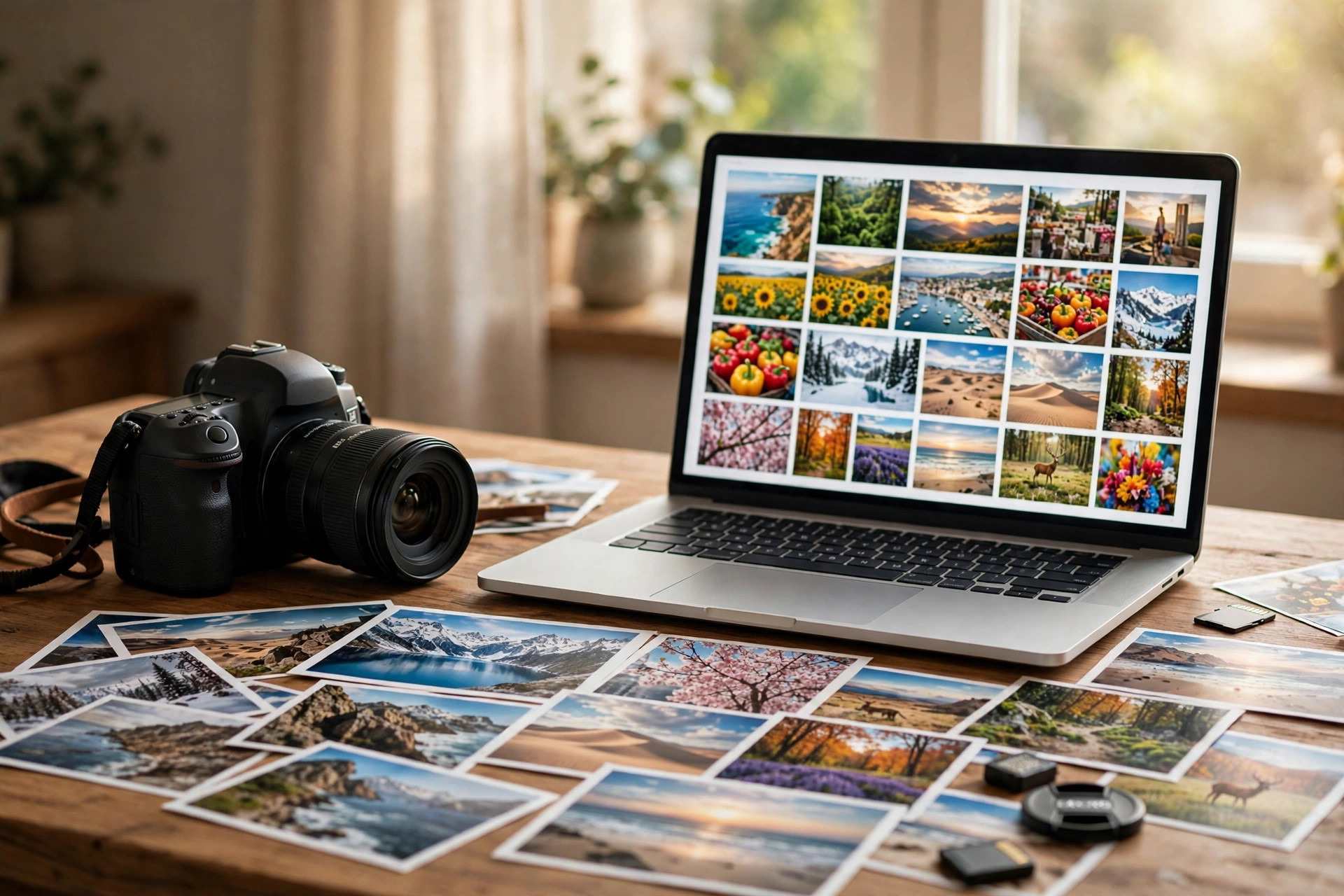
Freepik is the marketplace designers open first — and photographers usually join last. That order is exactly why it is worth a look. While most contributors fight for the same buyers on Shutterstock and Adobe Stock, Freepik serves a different audience: graphic designers, marketers, and small businesses who download photos to build something else. The money works differently there too. There is no fixed cents-per-download rate to look up. Instead, Freepik pools what its subscribers pay, takes half of it for contributors, and splits it by how much each file is downloaded — weighted by file type. This guide explains the 2026 rules honestly: the Magnific rebrand, the three contributor levels, the payout thresholds, and the subjects that actually sell.
Freepik in 2026: Bigger Than You Think — and Now Called Magnific
Freepik started as a free vector and photo library and grew into one of the largest design-asset platforms in the world, with hundreds of millions of assets across photos, vectors, PSD files, icons, videos, and templates. In April 2026 the company folded its AI generation products under the Magnific name, and the contributor program now trades as Magnific Contributor. The website freepik.com redirects to magnific.com, existing accounts and plans carried over unchanged, and the contributor dashboard lives at contributor.freepik.com. If you search for the program and find older guides calling it "Freepik Contributor," they are describing the same program under its old name.
Why does the rebrand matter to a photographer? Because it signals where the buyers are going. Freepik is no longer just a stock library — it is a design platform where subscribers generate AI images, upscale them, and download stock in the same session. Your photos sit next to AI generations in the same search results, which makes authentic, real-world photography more valuable, not less. Buyers who need a real office, a real kitchen, or a real street scene still license real photos.
On the buyer side, the 2026 subscription prices set the size of the pool your earnings come from: Premium costs $20 a month billed monthly ($14.50 a month billed annually), Premium+ is $45 a month ($33.75 annually), and Pro is $110 a month ($82.50 annually). Those figures were checked against the pricing page in late October 2026 — confirm them on the pricing page before quoting them, because subscription prices move.
How Freepik Royalties Actually Work: The Pool Model
Forget the fixed-rate thinking you use on other agencies. Freepik pays contributors through a pay-per-download model built on a subscriber pool:
50% of subscriber net revenue forms the pool. Freepik takes what subscribers paid, and half of that net revenue is shared with contributors.
Your share depends on weighted downloads. Each download is weighted by asset type: icons count x1, photos, vectors, and PSD files count x3, and videos count x12. A photo download is worth three times an icon download from the same subscriber.
Free downloads pay too, at a flat rate. Free-plan downloads earn $5 per 1,000 photo or vector downloads and $10 per 1,000 video downloads.
Partner distribution pays 50% of net revenue with no added deductions, settled at least every three months.
The honest consequence of a pool model is that your per-download rate is not a number you can look up in advance. It moves as the subscriber base and total download volume move. Anyone quoting you a precise cents-per-download figure for the coming year is guessing. The practical move is to track your own realised rate over a few months — total earnings divided by total downloads — and treat that, not a published estimate, as your planning number. Volume is the lever: a file that gets downloaded 200 times a month at a small rate beats a file downloaded twice at a large one.

The Three Contributor Levels (and the 200-File Monthly Ceiling)
Freepik runs a three-level contributor structure, and the levels control how much you can upload, not how much you earn per download:
Level 1 — the application. Your first submission is 150 to 200 assets for review, submitted through the web uploader. This is a much bigger entry bar than most agencies, and it is deliberate: Freepik reviews your range and consistency, not just your ten best shots.
Level 2 — published contributor. Once your first assets are published, you upload in batches of a single file up to 200 at a time, still through the web. To reach the next level you need 500 published assets.
Level 3 — the exceptional tier. The minimum batch is one asset, the monthly ceiling is 200 files, and FTP upload becomes available alongside web upload, with no limit on how many batches you send inside that monthly total.
That 200-per-month ceiling is the number to plan a portfolio around. It applies at Level 3, and it means Freepik rewards steady, curated uploads rather than bulk dumps. A contributor uploading 200 good files a month for a year builds a 2,400-file portfolio — more than enough for the pool model to start compounding, as long as the files are the kind designers actually search for.
One warning from older guides: some pre-2026 articles say the application needs only 10 files. The 2026 documentation states 150 to 200. Entry requirements have changed more than once, so confirm the current number on contributor.freepik.com before you prepare your application batch.
How to Apply as a Freepik Contributor
The application is a portfolio review, not a form. Treat it like one:
Prepare 150 to 200 of your strongest, most consistent files. Pick one or two subjects you shoot well — lifestyle, food, business, travel — and show range inside them, not a random sample of everything you have ever shot.
Check the technical specs before you export. Photos must be high-resolution JPEGs with clean exposure, correct white balance, and no visible noise at full size. Vectors and PSDs have their own format rules on the contributor pages — read them for your file type.
Keyword every file like a buyer searches. Freepik buyers are designers searching for a concept ("happy team meeting," "empty white background"), not photographers searching for a technique. Use the keywording workflow from our advanced keywording guide: concept first, then subject, then details.
Submit through the web uploader at contributor.freepik.com and wait for the review. Rejections at application stage usually mean inconsistent quality across the batch — fix the weakest third and resubmit rather than arguing about the strongest third.
Keep your copyright. Contributors retain copyright to their work, and Freepik is non-exclusive — you can sell the same photos on other platforms. That is the single biggest structural advantage over exclusive deals elsewhere.
Payout Rules: Thresholds, Methods, and the Two-Month Wait
Freepik's payout rules are simple but slow, and the delay catches new contributors by surprise:
Minimum invoice amount: $25 or €50. Invoices are only generated once your earnings reach that threshold. Older PayPal guidance quoted a $100 minimum and Payoneer $50 — the current standard download royalty minimum is $25 / €50, so check your own dashboard for the method you choose.
Payment methods: PayPal, Payoneer, or eligible SEPA bank transfer. No other methods are offered for standard royalties.
Payments lag two months behind downloads. Earnings for downloads up to the end of January are paid in March; March downloads are paid in May, and so on. Invoices are generated on the 4th of the month and paid between the 10th and the 15th.
All dashboard income is shown before tax. The final amount varies with your tax situation, and you generate the invoice from your contributor panel once the threshold is reached.
Plan your cash flow around the lag, not around the download date. A file that starts selling in November will not put money in your account until January at the earliest. That is normal for Freepik, not a payment problem — but it is a real reason to keep Freepik as one income stream among several while the portfolio builds.
What Actually Sells on Freepik
Freepik buyers are designers building something, so they download photos they can drop into a layout. The best sellers share one trait: they leave room for design. Subjects that consistently perform:
Business and lifestyle with copy space. Teams meeting, people working on laptops, hands shaking — shot wide, with clean negative space on one side for text. This is the single highest-demand category.
Food and drink, shot overhead or at 45 degrees. Bright, clean, appetising, with consistent styling. Recipe blogs, menus, and social templates all buy here.
Travel and cityscapes without recognisable people. Skylines, streets, beaches, and landmarks that a travel agency or blog can use without a model release.
Mockups and backgrounds. Empty desks, blank walls, textured surfaces, and flat-lay scenes that designers overlay with their own work.
Seasonal and holiday concepts, uploaded early. Christmas, Ramadan, back-to-school, and summer themes sell in a short window — upload two to three months before the date, the same timing rule our holiday upload guide recommends.
What sells poorly: heavily edited artistic shots with no commercial use, photos with visible brand logos, and near-duplicates of your own files competing with each other in search. One strong version of a concept beats ten similar ones — the pool model rewards downloads, and splitting downloads across ten lookalike files helps nobody.

Freepik vs Shutterstock and Alamy: Where It Fits in Your Portfolio
Freepik is not a replacement for the big agencies — it is a different shelf for the same photos. Selling stock photos on Shutterstock gives you the biggest buyer pool and a level system that resets every January; selling stock photos on Alamy gives you higher prices per sale and a slower, premium buyer. Freepik sits between them: a designer-heavy audience, a pool payout that rewards volume, and no exclusivity, so the same file can earn on all three at once.
The honest comparison: Shutterstock pays a published 15–40% ladder and Alamy pays 40–50% depending on tier and exclusivity, while Freepik's 50% pool share sounds higher but divides across every contributor's downloads, so the per-download amount is usually smaller. Freepik wins on volume potential and on subjects designers search for that traditional stock buyers ignore — mockups, backgrounds, and design-ready scenes. The smart portfolio strategy is to upload your commercial lifestyle and business work everywhere, keep your premium editorial and rights-managed work on Alamy, and let Freepik monetise the design-friendly files that would otherwise sit unsold. Before you upload anywhere, make sure you understand stock photo licensing explained — what each license lets buyers do decides which files belong on which platform.
Also consider the mid-tier: selling stock photos on 123RF runs a similar volume ladder with a 30–60% royalty, and the same non-exclusive logic applies — your files can work on several shelves at once.
5 Mistakes That Get Freepik Files Rejected
Submitting a scattered application batch. Ten subjects in 150 files reads as no style. Pick one or two and prove depth.
Visible logos, brands, and trademarks. Freepik reviewers reject commercial logos in photos the same way every agency does. Remove or avoid them at the shoot, not in Photoshop.
Keyword stuffing. Tags that do not describe the image — brand names, unrelated trending words — get files flagged and hurt the whole batch. Keyword what is actually in the frame.
Over-processed files. Heavy HDR, crushed blacks, and oversaturated colour fail the quality check. Export clean, natural, and correctly exposed.
Uploading AI-generated images as photos. Freepik's contributor rules cover AI content separately from photography, and mislabelling generated images as camera photos risks the account. If you use AI in your workflow, read our guide to AI tools for stock contributors first — it draws the line between AI-assisted editing of your own photos and AI-generated submissions.
A 30-Day Freepik Starter Plan
If you are starting from zero, here is a realistic first month:
Days 1–7: Shoot two subjects you already do well — for example, workspace lifestyle and food. Aim for 200 usable frames, not 200 finished files.
Days 8–14: Cull hard to the best 150–200, edit consistently (one preset, one white balance approach), and keyword every file with buyer-first phrases.
Days 15–18: Submit the application batch through the web uploader and, while you wait, shoot your second batch of 100 files.
Days 19–30: Once accepted, publish your second batch, then settle into a weekly rhythm: one shoot, one cull-and-keyword session, one upload batch. Track your realised per-download rate monthly — that number, not any blog post's estimate, is your planning rate.
After three months, judge Freepik on your own dashboard: downloads per file, realised rate, and time spent per accepted file. If downloads per file are rising and your realised rate is stable, scale toward the 200-a-month ceiling. If they are flat, the problem is usually subject choice — switch subjects before you switch platforms.
Key Takeaways
Freepik is now Magnific (April 2026 rebrand) — same company, same platform, contributor program at contributor.freepik.com.
Contributors earn 50% of subscriber net revenue from a shared pool, weighted x3 for photos — there is no fixed per-download rate to plan around.
Three levels control uploads: a 150–200 file application, 500 published files to reach Level 3, and a 200-file monthly ceiling with FTP at the top.
Payouts need $25 / €50, go through PayPal, Payoneer, or SEPA, and arrive two months after the downloads.
Freepik is non-exclusive, so the same commercial lifestyle and business photos can earn on Shutterstock, Alamy, and 123RF at the same time.
Frequently Asked Questions
How much does Freepik pay per download in 2026?
There is no fixed rate. Freepik pools 50% of subscriber net revenue and splits it by weighted downloads — photos count x3, icons x1, videos x12. Free downloads pay $5 per 1,000 photo or vector downloads. Track your own realised rate over a few months instead of trusting any single cents-per-download quote.
Is Freepik now called Magnific?
Yes. In April 2026 the company folded its AI products under the Magnific name. Freepik.com redirects to magnific.com, existing accounts and plans carried over unchanged, and the contributor program is now called Magnific Contributor.
How many files do I need to apply as a Freepik contributor?
Current 2026 documentation states 150 to 200 assets for the first review submission. Older guides mention 10 files, but that figure is outdated — confirm the current number on contributor.freepik.com before you prepare your batch.
What is the minimum payout on Freepik?
$25 or €50 in earnings before an invoice is generated. Payments go through PayPal, Payoneer, or eligible SEPA transfer, and arrive two months after the downloads they cover.
Can I sell the same photos on Freepik and Shutterstock?
Yes. Freepik is non-exclusive and contributors keep their copyright, so the same files can be listed on Shutterstock, Adobe Stock, Alamy, and other agencies at the same time — unless you have signed an exclusive deal elsewhere that covers those files.