Selling Stock Photos on Canva in 2026: Royalties, Rules, and What Actually Sells
By raof010 · Published November 13, 2026 · Updated November 13, 2026
Canva has more than 200 million users, and every one of them needs photos inside their designs. That sounds like the biggest stock photography market on earth — and in a way, it is. But if you arrive at Canva expecting the deal you get on Adobe Stock or Shutterstock — a published royalty rate, a per-download payment, an open application — you will be disappointed. Canva pays from a monthly royalty pool it does not publish, its photo contributor sign-ups are paused, and the only door that is actually open in 2026 is the one for template designers. This guide gives you the honest picture: how the money works, which doors are open and which are closed, what photos actually sell inside Canva, and the realistic plan for a photographer who wants a piece of it.
How Canva Actually Pays Contributors in 2026
Canva does not pay a fixed amount per download the way a microstock agency does. It runs a royalty pool: a share of Canva's subscription revenue, calculated every month, divided among creators according to how much their content was used. For templates, a "usage" means each time a design is downloaded, printed, or presented — and creators are paid for both Free and Pro template usage. For elements such as photos, payment is based on Pro element usages, meaning Pro exports.
Here is the part that matters most for planning: Canva does not publish the size of the pool, a per-use rate, or a percentage. Its own help pages describe the month-by-month figures as confidential business information. Your share depends on your usage relative to everyone else's, and the pool grows as Canva's subscription revenue grows. That means there is no rate to multiply, no per-file earnings figure to forecast, and no honest way to promise yourself a monthly number before you start.
You will still see a 35% figure quoted all over the internet — usually with a neat table saying a $1 one-time licence pays $0.35 and a $100 extended licence pays $35. Treat that number as legacy. It comes from Canva's old contributor programme, and multiple 2026 guides that checked Canva's current documents warn that the figure is either unofficial or refers to a programme that no longer works that way. Under the current Contributor Agreement, there is no published percentage at all. If a blog or a YouTube video gives you a precise Canva rate for 2026, it is an estimate, not a fact — and you should not plan your income around it.
One published figure is real, and it is worth knowing: Canva has committed $200 million in content and AI royalties to its creator community over three years, announced under its Canva Shield programme. That tells you the pool is funded and serious. It does not tell you what your first twenty photos will earn, and no honest source can.
The Door for Photographers Is Paused: Element Creators Explained
Canva runs three creator tracks, and a photographer is an Element Creator — the track for people who supply the individual assets that go inside a design: photos, graphics, video clips, music, icons, and stickers. The other two tracks are Template Creators, who design reusable layouts, and Education Specialty Creators, who must be verified teachers building classroom resources.
The blunt truth is that Element Creator sign-ups are currently on hold. Canva's own contributors page says it plainly: "Due to the popularity of our contributor program we have paused new sign ups. If you would like to contribute elements in the future please come back later." There is no published reopening date, so the honest advice is to check Canva's own Creators pages periodically rather than trusting any date a third-party article gives you.
Be careful with Canva's own website here, because it contradicts itself. Its Photos Creators page still says "Anyone can sign up to become an Element Creator" and describes the review process as if it were open. The contributors page says sign-ups are paused. The paused notice is the current, operative statement — it is the page that controls applications — and every 2026 guide that checked both pages in the second half of the year reports the same thing: photographers cannot join right now.
That matters because the two tracks are not interchangeable. A photographer arriving from a traditional stock agency is an Element Creator, not a Template Creator, and you cannot simply apply as a Template Creator with a portfolio of photographs. The tracks judge different work, and the application asks for different proof.
The Open Door: Canva Template Creators
The one door that is open today is the Template Creator programme, and it is worth understanding even if you think of yourself as a photographer first. Template Creators design reusable templates — social media posts, presentations, flyers, posters, documents — that Canva users customise with their own text and photos. Canva's help centre says the programme is currently in beta and that it can take up to a couple of months to hear back on an application.
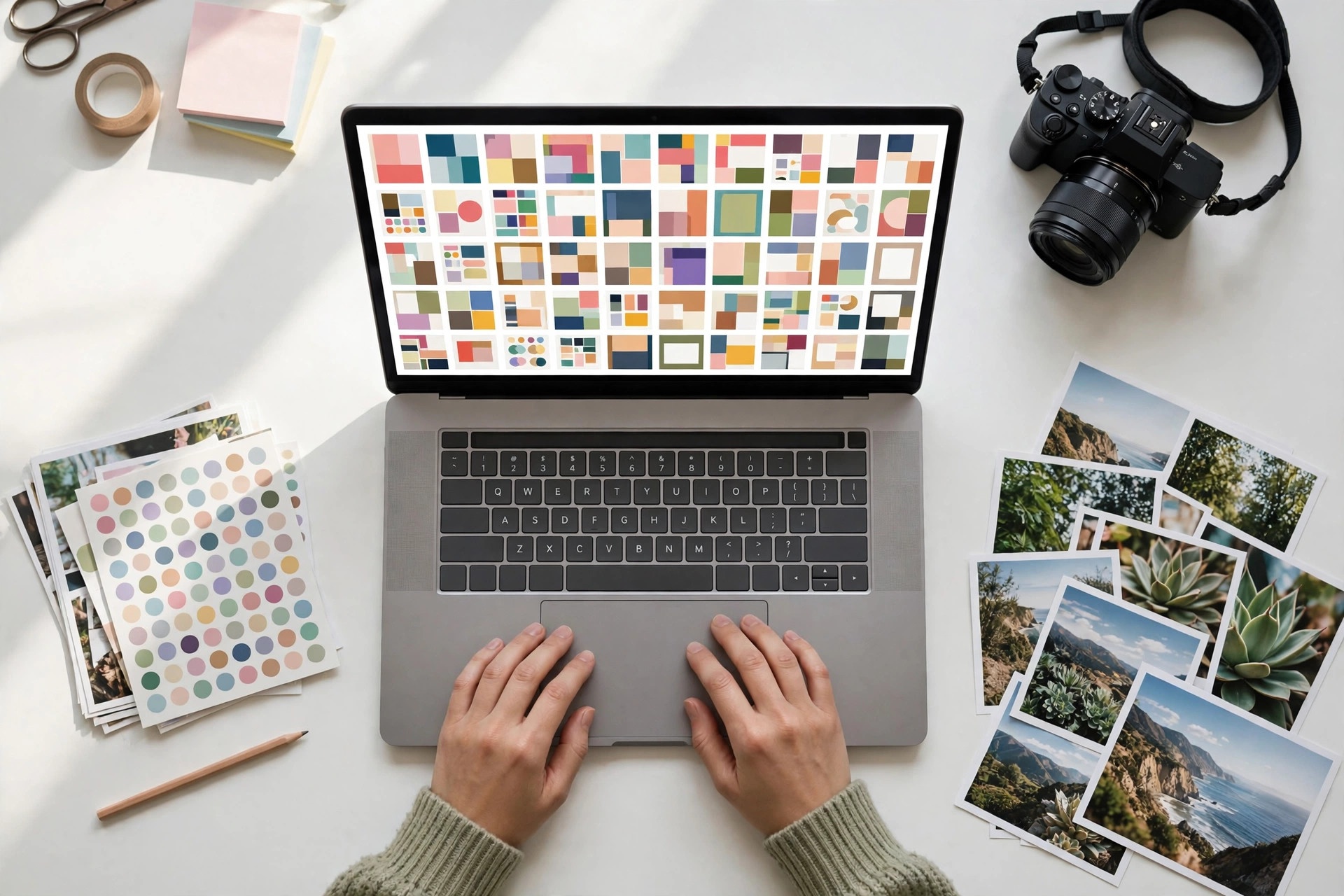
To apply, you submit a portfolio through Canva's application form at canva.com/creators. Canva asks for a public portfolio link — no login, no paywall, no password — holding 5 to 10 high-quality design examples. Reviewers evaluate design fundamentals: alignment, balance, spacing, colour, and typography, across a variety of formats. A portfolio of ten Instagram templates and nothing else reads as narrow; range across social posts, presentations, and documents reads as ready.
Two terms deserve your attention before you apply. First, an accepted template is licensed exclusively to Canva for 3 years — you cannot sell the same template elsewhere during that period. Second, you cannot set your own price. Nobody sets a price per template; Canva runs the royalty model and can change it. The Contributor Agreement says plainly that Canva may modify the royalty model or the payment schedule at any time.
For a photographer, the template track is a real option only if you also design. Your own photos become the raw material inside templates you build — a social post template with your lifestyle photo as the hero image, a presentation template with your travel photography as section dividers. If you do not design, this door is not yours yet, and that is fine. Knowing which door is closed is as valuable as knowing which one is open.
What Photos Actually Sell Inside Canva
Photos inside Canva behave differently from photos on a stock agency, and understanding the difference changes what you should shoot. Canva users do not download your photo as a file. They use it inside a design in Canva's editor, and they pay to export that finished design — which is what earns you royalties. Your photo is an ingredient, not the finished product.
That means the photos that earn are the ones designers reach for again and again as ingredients. The patterns are consistent:
Copy space first. Photos with clean, uncluttered areas where text can sit — a sky, a blank wall, a desk surface, an out-of-focus background — get used in templates far more than busy, edge-to-edge compositions.
Vertical and square, not just landscape. Canva designs are overwhelmingly social posts, stories, and phone screens. A strong vertical version of your best subjects earns more inside Canva than a landscape-only portfolio ever will.
Real people doing real things. Small-business owners, teachers, and marketers build designs around lifestyle, work, family, food, and fitness imagery. Authentic, diverse, everyday moments outperform staged studio perfection.
Seasonal and event-ready, uploaded early. The same Q4 planning that drives stock agencies applies here — holiday, back-to-school, and New Year imagery needs to be in the library weeks before the demand arrives.
Business and education subjects. Presentations and classroom materials are two of Canva's biggest use cases, so clean office, teamwork, learning, and classroom-adjacent imagery gets steady, repeat usage.
One more distinction matters: for element photos, only Pro exports count toward payment. A photo used heavily by free-tier users behaves very differently from a template used heavily by the same audience, because templates pay on Free and Pro usage alike. That is one more reason the template route, where it is open to you, can outperform the photo route even when the photo route reopens.
Getting Paid: Payout Rules and the Paperwork
Canva aims to pay creators around the 15th of each month, once the amount due reaches $10, or $25 for wire transfers, after any tax it withholds. Payouts run through Canva's payment partner Trolley, to a bank account — Payoneer and Wise receiving accounts work through the bank-transfer option — or to PayPal in US dollars. Canva also lists Skrill and Payoneer on its older contributors page, so the exact rails can vary by region and by when you joined.
Before Canva can pay you anything, it needs a W-8 or W-9 tax form on file. Finish the payout setup on day one, because the agreement has a sharp edge: royalties held for five years are forfeited. A small balance that sits unclaimed because the paperwork was never finished is money you simply lose.
Set expectations honestly. Because the pool is unpublished and your share depends on relative usage, early months are noisy. Creators who build a catalogue of 100 or more approved elements tend to see the most consistent monthly income, and even then the per-item royalties are small — volume and repeat usage are everything. If you are comparing Canva against an agency with a published rate, remember that you are comparing a known number against an unknown one, and the unknown one should never be the foundation of your income plan.
The Rules That Get Contributors Rejected
Canva updated its Contributor Agreement in January 2026, and the headline change for contributors is simple: AI-generated content is not permitted. If you submit AI imagery as a Canva contributor, you are breaking the current agreement. That puts Canva on the strict side of the AI line — the same side as Shutterstock, and the opposite side from Adobe Stock, which accepts labelled AI content. Our guide to the best AI tools for stock contributors in 2026 draws exactly this line between AI-assisted editing of your own camera photos, which is allowed, and AI-generated submissions, which are not.
Beyond the AI ban, the rejection reasons are familiar to any stock contributor: work that is not original, images with recognisable people or private property and no release, trademarked logos or brands visible in frame, and files that fail Canva's quality and curation bar. Canva reviews every photo before publishing it to the marketplace, and it curates the library for quality and diversity — a technically fine photo of a subject the library already has in abundance is still a rejection.
The licensing terms are also different from what you may expect. Canva's model is generally non-exclusive for elements, but accepted templates carry that 3-year exclusivity noted above, so read the track you are actually joining. And remember that our stock photo licensing guide covers what royalty-free and extended licences mean on the agencies — Canva's usage-based royalty model is a third structure entirely, and it should not be confused with either.
Canva vs the Stock Agencies: An Honest Comparison
Here is how Canva stacks up against the agencies this series has already covered, on the four questions contributors actually ask:
Canva | Shutterstock | Adobe Stock | Freepik | |
|---|---|---|---|---|
Published per-download rate? | No — monthly royalty pool, unpublished | Yes — 15–40% contributor levels | Yes — 33% photos, 35% video | No — shared subscriber pool |
Photo sign-ups open in 2026? | No — Element sign-ups paused | Yes | Yes | Yes |
How you earn | Share of pool by usage (Pro exports for photos) | Per download, by level | Per download, flat rate | Share of pool by downloads |
AI-generated submissions | Not permitted (Jan 2026 agreement) | Not permitted | Accepted, labelled | Accepted with limits |
The table makes the verdict plain. Canva is not a replacement for an agency with a published rate — it is a different kind of income: uncapped upside from a 200-million-user audience, but with no rate you can plan around and no open door for photographers right now. Compare it with our full Shutterstock guide for 2026 and our Freepik guide for 2026 — Freepik is the closest comparison, because it also pays from a pool rather than a fixed rate per download, and its guide explains how to think about pool income honestly.
What to Do Instead: A Realistic 2026 Plan for Photographers
If you are a photographer who wants Canva income in 2026, here is the plan that matches the facts as they stand today.
First, keep earning where the doors are open. Adobe Stock and Shutterstock accept new contributors today, publish their rates, and pay per download. Your portfolio earns while Canva's photo door is closed. Do not park your best new work waiting for a reopening that has no announced date.
Second, check Canva's own Creators pages once a month. The paused notice is the only reliable signal, and it will change on Canva's own site before it changes anywhere else. When it reopens, apply immediately with your strongest, most design-ready work — copy space, verticals, and lifestyle subjects first.
Third, if you design, build the template portfolio now. Five to ten strong, varied templates — social posts, a presentation, a flyer — is the entire application. The review can take up to a couple of months, so an application sent today is an answer received in the new year. Use your own photos inside the templates; that is where your photography and the open track meet.
Fourth, do not confuse Canva's free libraries with paid contributor work. Canva acquired Pexels and Pixabay in May 2019, and both feed free imagery into Canva. Uploading there gives you exposure, not royalties. Exposure is fine if that is what you want — but it is not Canva contributor income, and it should never be counted as such in your planning.
Finally, protect what you already earn. While you wait on Canva, the income you already have deserves the same attention. The Adobe Firefly Contributor Fund pays an annual training bonus on top of normal royalties — a reminder that the best "extra" income in stock photography in 2026 is usually a bonus on work you have already done, not a new platform you have not joined yet.
Key Takeaways
Canva pays contributors from a monthly royalty pool tied to subscription revenue — there is no published per-use rate or percentage, so do not plan income around the old 35% figure.
Photo contributor sign-ups are paused in 2026: Element Creators, the track for photographers, cannot join right now, and Canva has announced no reopening date.
The open door is Template Creators — a beta programme with a 5–10 piece portfolio application, an answer that can take a couple of months, and 3-year exclusivity on accepted templates.
Inside Canva, photos earn as ingredients in designs, not as downloads — copy space, verticals, and real-life subjects get used most, and only Pro exports count for photo royalties.
Payouts aim for the 15th of each month at a $10 threshold ($25 by wire) via Trolley, but you need a W-8 or W-9 on file, and royalties held for five years are forfeited.
FAQs
Can I sell my stock photos on Canva in 2026?
Not as a new photo contributor — Element Creator sign-ups are paused, and Canva has announced no reopening date. Existing contributors can still earn from photos already in the library. The only track accepting new applications is Template Creators, which is a design portfolio application, not a photo submission.
How much does Canva pay contributors per download?
There is no per-download rate. Canva pays from a monthly royalty pool that grows with subscription revenue, and your share depends on your usage relative to other creators. Canva calls the pool figures confidential business information, so any specific per-use number you see quoted — including the old 35% figure — is an estimate or a legacy rate, not a published fact.
What is the difference between an Element Creator and a Template Creator?
Element Creators supply individual assets — photos, graphics, video, audio — that users place inside designs. Template Creators design complete, reusable layouts. Photographers are Element Creators, and that track is paused. Template Creators apply with a 5–10 piece design portfolio, and accepted templates are licensed exclusively to Canva for 3 years.
Can I submit AI-generated images to Canva?
No. Canva's Contributor Agreement, updated in January 2026, does not permit AI-generated content. AI-assisted editing of your own camera photos is a different matter, but generated images submitted as contributor content break the current agreement.
What is the Canva contributor payout threshold?
Canva aims to pay around the 15th of each month once your balance reaches $10, or $25 if you chose wire transfer. Payouts run through Trolley to PayPal or a bank account, and you need a W-8 or W-9 tax form on file before Canva can pay you anything.